In October 2026 two critical flaws in PHP, the language behind most websites, sent governments, Wikipedia’s operator and news sites scrambling to patch. To see why, this film follows one page from your screen to a distant server and back: the web’s birth at CERN, clients and servers, the DNS address book, the HTTP conversation, packets, pages built to order by languages like PHP, and what a vulnerability, a CVE number and a patch really are. Send a request, lose a packet, build a page and patch a server.
Interactive 3D film10 min1989 to 2026Published 23 October 2026
In the days after the twenty-first of October 2026, government websites in Finland and the Netherlands, and parts of Wikipedia's systems, went offline. Nobody had knocked them down. Their owners switched them off on purpose.
The reason was two critical flaws in PHP, the programming language behind most of the world's websites. A server without the new fix could be made to run a stranger's commands, and the PHP Foundation had just rushed one out.
Security firms had found the flaws in August with the help of AI tools. To see how one flaw can reach so far, let's follow a single web page on its journey.
Patch night Server racks in a data centre; one is flagged. AI-generated still.
Two flaws: CVE-2026-109618 and CVE-2026-109619
Found in August 2026 with AI tools
Unnoticed for more than a decade
Patch published 21 October 2026
PHP2Shell, in brief
Finland’s public web services
The Dutch cybersecurity agency’s site
Some Wikimedia Foundation systems
Pages at ANA, JR West and MUFG in Japan
Taken offline while patching
Prologue
PHP2Shell
Fortune reports that the two flaws, CVE-2026-109618 and CVE-2026-109619, were first found on 1 August 2026 by the AI red-teaming firm Calif using an OpenAI model, and independently on 19 August by Wiz; OpenAI investigated after Calif reported it, found further parts of the bug, and led a coalition with the PHP Foundation, Cloudflare and others. Paubox reports that details leaked on social media, so the PHP Foundation published its fix early, on 21 October; the flaws had gone unnoticed for more than ten years. According to CNN (via ABC7), the NSA and a European cybersecurity agency urged immediate action, and sites in Ireland, Japan, France, Denmark, Finland and the Netherlands, and some Wikimedia systems, were temporarily offline.
The 3D computers, cables and packets are a simplified teaching model, not real hardware or real network paths.
The web began as a way to share documents. In March 1989, Tim Berners-Lee, a British scientist working at CERN, the physics laboratory near Geneva, wrote the first proposal for a World Wide Web.
By the end of 1990, the first web server and browser were running there, on a NeXT computer. The world's first website lived at the address info dot cern dot ch.
On the thirtieth of April 1993, CERN made the web's software available royalty-free. Anyone could now run a server, and every page could link to any other.
A laboratory desk, 1990 An imagined workstation of the period, not the original machine. AI-generated still.
Mar 1989 Berners-Lee’s first proposal
Nov 1990 Formal proposal with Robert Cailliau
End 1990 First server and browser running
Early 1993 NCSA releases the Mosaic browser
30 Apr 1993 Software made royalty-free
The web at CERN
1
website at the start: info.cern.ch
30 Apr 1993
the day the code was opened to all
Then and now
Chapter I · A web of documents
Born at CERN
CERN’s own history: Tim Berners-Lee wrote the first proposal for the World Wide Web in March 1989; with Robert Cailliau it became a formal management proposal in November 1990. By the end of 1990 the first web server and browser were running at CERN, and info.cern.ch was the address of the world’s first website and web server, on a NeXT computer. In early 1993 NCSA at the University of Illinois released its Mosaic browser, and on 30 April 1993 CERN made the WorldWideWeb software available on a royalty-free basis.
The glowing web of linked pages on screen is a schematic, not a map of real sites.
Every visit to a website is a conversation between two computers. Yours is the client: your phone or laptop, and the browser running on it.
The other is a server, a computer whose job is to store web pages and hand out copies of them. It may sit in a data centre on another continent.
When you open a page, a copy of its code travels to your device, and your browser turns that code into what you see: HTML for structure, CSS for style, and JavaScript for behaviour.
Two ends of one thread A laptop at home and a distant building full of servers. AI-generated still.
Client: asks, then draws the page
Server: stores pages and answers
Assets: images, video, PDFs that are not code
Who does what
HTML: headings, paragraphs, links
CSS: colours, fonts, layout
JavaScript: menus, buttons, live updates
The browser’s three languages
Chapter II · Finding the machine
Clients and servers
MDN Web Docs: computers connected to the internet are clients (users’ devices and software such as a browser) or servers (computers that store webpages, sites or apps). When a client requests a page, a copy of its code is downloaded from the server and rendered by the browser. Websites are built mainly from HTML, CSS and JavaScript; images, music, video and documents are assets that are not code the browser interprets.
The 3D computers, cables and packets are a simplified teaching model, not real hardware or real network paths.
But first your browser has to find the server. People remember names like mozilla dot org. Computers on the internet find each other by numbers, called IP addresses.
The Domain Name System, or DNS, works like the internet's address book. Your browser asks a DNS server, which looks up the name and replies with the number.
Big sites run many servers, so the number you get may depend on where you are. Only now can the real request set off.
mozilla.org
what people type
192.0.2.172
what computers use (MDN’s example address)
A name and a number
1 · browser asks: where is this name?
2 · DNS server looks it up
3 · reply: an IP address
4 · browser contacts that address
One lookup
1 name
what you type
many IPs
a big site may answer from a server near you
One name, many machines
Chapter II · Finding the machine
The internet’s address book
MDN Web Docs describes DNS as an address book for websites: it translates a domain name such as mozilla.org into an IP address such as 192.0.2.172 (an example address). The first step of loading any page is that the browser goes to a DNS server and finds the real address of the server the website lives on. Large sites may use several servers, so the address can vary by location.
The 3D computers, cables and packets are a simplified teaching model, not real hardware or real network paths.
Now the browser writes a short letter in a language called HTTP, the Hypertext Transfer Protocol. The simplest letter says GET, then the page it wants and the name of the site.
The server answers with a number first. Two hundred means OK, here it comes. Four hundred and four means there is no such page. Five hundred and three means the server is temporarily unavailable.
Now you try. Send a request, or ask for a page that does not exist, and watch the letter and the reply cross the network.
A request An HTTP request is plain text, short enough to fit on a postcard. AI-generated still.GET /en-US/ HTTP/2Host: developer.mozilla.orgWhat the letter says MDN’s example: the method, the path, the protocol version, then the site’s name.
200 · OK, here is the page
301 · moved to a new address
403 · you may not see this
404 · no such page
503 · server temporarily unavailable
Status codes The first digit gives the family: 2 success, 3 redirect, 4 a problem with the request, 5 a problem at the server.
200
the page arrives and is drawn
404
the server answers, but has nothing to send
Your turn
Chapter III · The conversation
Speaking HTTP
MDN Web Docs: HTTP is an application protocol that defines a language for clients and servers to speak to each other. A typical request uses the GET method (“GET /en-US/ HTTP/2”, “Host: developer.mozilla.org”). The response starts with a status line and headers, then the body. Common codes: 200 success, 301 moved permanently, 400 malformed request, 403 no permission, 404 not found, 503 temporarily unavailable (for example during maintenance).
Try it: “Send a request” returns 200 OK; “Ask for a missing page” returns 404.
The reply does not travel as one piece. It is cut into small chunks called packets. Each has a header, saying where it comes from, where it is going and where it fits, and a payload, a slice of the page itself.
Packets can take different routes and arrive out of order. The rules called TCP/IP let your device put them back in order and ask again for any piece that went missing.
Now lose a packet on purpose and watch it being sent again. Only when every piece has arrived does the page appear.
Header: source and destination IP addresses
Header: this packet’s number and the total
Payload: a slice of the data
Inside one packet
8
packets carry one page
4
routes they can take
In this modelReassembly Pieces arrive by different paths and are put back in order. AI-generated still.
1 piece
is all that is resent when one is lost
many routes
packets can share the network’s paths
Why cut it up?
Chapter III · The conversation
Packets and TCP/IP
MDN Web Docs: the server sends the website’s files as a series of small chunks called packets. Each packet has a header (IP addresses, packet number, total count, protocol details) and a payload (the data). Data is split up so that lost or corrupted packets can be re-requested individually and packets can take different routes; the client uses the headers to put them back in order. TCP/IP are the communication protocols that define how data travels across the internet.
Real TCP headers number bytes rather than whole pieces; “packet 5 of 8” is a simplification.
The 3D computers, cables and packets are a simplified teaching model, not real hardware or real network paths.
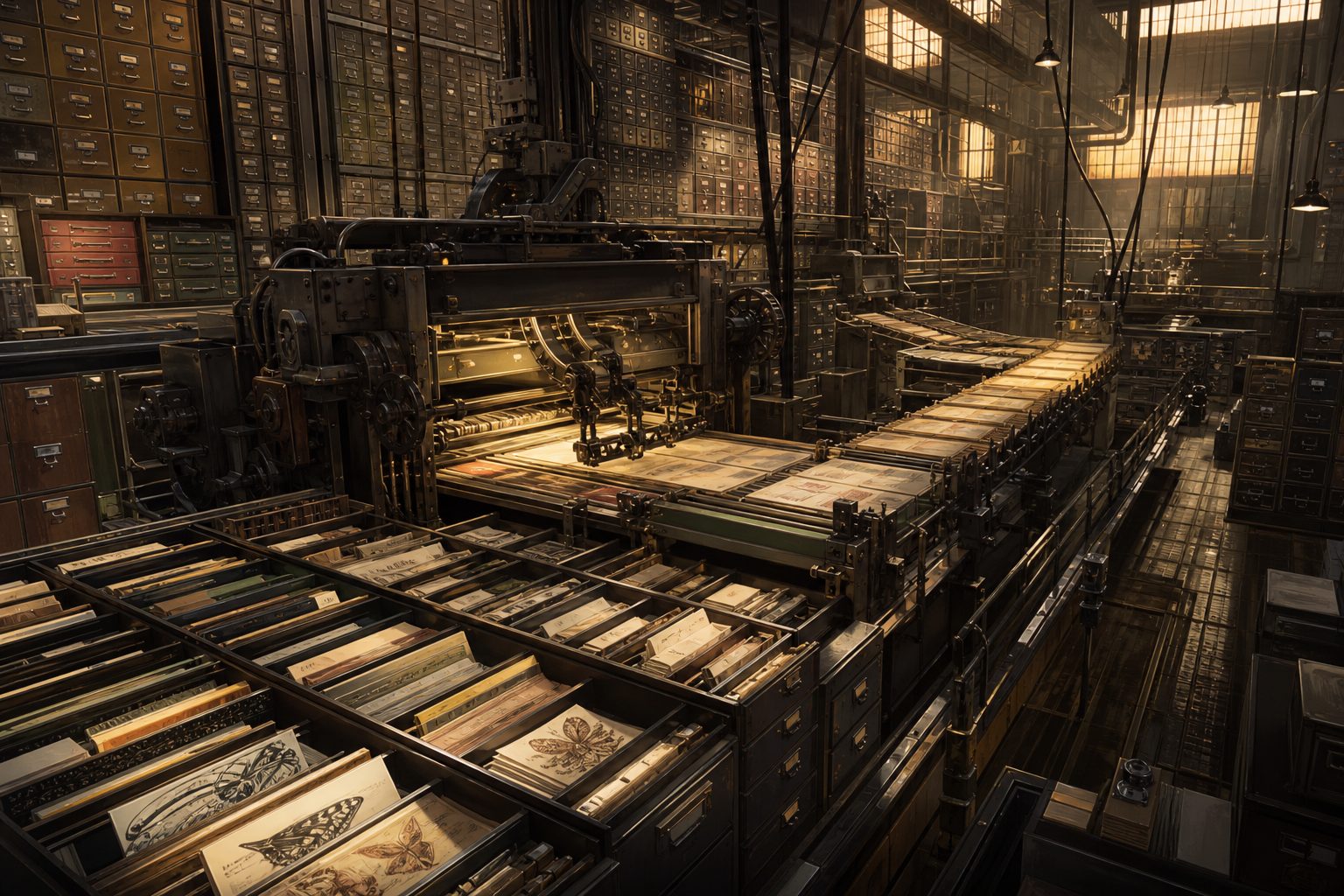
The first websites were static. The server kept finished pages as files and sent the same copy to everyone who asked.
But a shop, a bank or a news site needs a different page for every visitor and every moment: your basket, your account, this hour's headlines. Writing each one by hand would be impossible.
So many servers build pages to order. A program on the server side fetches what it needs from a database, pours it into a template and sends back fresh HTML. That is the job PHP does. Switch between the two kinds and compare.
1 file
stored on disk, sent unchanged to every visitor
StaticA page factory A metaphor: a machine assembling each page from stored parts. AI-generated still.
Request arrives: “show product 4182”
Program queries the database
Data fills the placeholders in a template
Finished HTML goes back to the browser
Building one page
1 template
can become millions of product pages
Dynamic
Chapter IV · Pages made to order
Static and dynamic sites
MDN Web Docs: a static site returns the same hard-coded content whenever a resource is requested; the server fetches the document from its file system. On a dynamic site some content is generated only when needed: HTML pages are normally created by inserting data from a database into placeholders in HTML templates. For a shop with huge numbers of products, a separate static page for each would be completely impractical.
Try it: switch the server between serving a stored file and building a page from the database.
One of the most popular tools for this was born on a personal home page. In 1994 Rasmus Lerdorf wrote a few small programs in the C language to track visits to his online résumé, and called them Personal Home Page Tools.
In 1997 Andi Gutmans and Zeev Suraski, in Tel Aviv, began rewriting it for a university project and joined Lerdorf on a new language. PHP 3 was announced in June 1998.
The name became a recursive acronym, one whose first letter stands for itself: PHP, Hypertext Preprocessor. PHP 7 arrived in 2015, and PHP 8 in 2020.
A home page in the 1990s An imagined home office of the period. AI-generated still.
1994 Personal Home Page Tools
1996 PHP/FI (Forms Interpreter)
June 1998 PHP 3, rewritten with Gutmans and Suraski
2015 PHP 7
2020 PHP 8
From home page to language
PHP: Hypertext Preprocessora recursive acronym: the first letter stands for the name itself
Chapter IV · Pages made to order
Where PHP came from
The PHP Manual’s history: Rasmus Lerdorf created PHP in 1994 as a set of C programs (CGI binaries), first used to track visits to his online résumé, and called them “Personal Home Page Tools”. PHP/FI (“Forms Interpreter”) followed in 1996. In 1997 Andi Gutmans and Zeev Suraski of Tel Aviv began rewriting the parser for a university eCommerce project and teamed up with Lerdorf; PHP 3.0 was announced in June 1998 and the name became the recursive acronym “PHP: Hypertext Preprocessor”. PHP 7.0 was released in 2015 and PHP 8.0 in 2020.
Today, according to the survey firm W3Techs, PHP is used by sixty-nine point three percent of the websites whose server-side language it can identify.
WordPress, the best-known system built with PHP, runs roughly forty percent of all websites, according to figures cited by Reuters. Wikipedia, Microsoft and the Internet Archive appear on W3Techs' list of PHP sites.
So a flaw inside PHP itself, rather than in one website, is shared by millions of servers at once. Palo Alto Networks counted 22.6 million PHP installations that might be exposed.
PHP
69.3%
All other languages
30.7%
Sites using PHP (W3Techs, 22 Oct 2026) Sites whose language cannot be detected are left out of the count.
~40%
of all websites run WordPress (as cited by Reuters)
W3Techs (22 October 2026): “PHP is used by 69.3% of all the websites whose server-side programming language we know.” Fortune, citing Reuters, notes WordPress powers roughly 40% of all websites, and lists Microsoft.com, Wikipedia.org, Archive.org, TheGuardian.com and Baidu.com among PHP sites per W3Techs; Palo Alto Networks identified 22.6 million potentially vulnerable instances. News reports rounded the share to “about 70%”.
Each tower on screen stands for one percent of sites; the colours follow W3Techs’ share.
Why can one flaw be so dangerous? A server receives text from strangers all day long: addresses, search words, form fields. It is meant to treat all of it as data.
A vulnerability is a mistake in the software that lets some of that input be treated as instructions instead. Most computers do not draw a hard line between code and data, so carefully shaped input can sometimes slip across it.
The worst case is called remote code execution. Someone, over the network, can make the server run commands of their choosing, with the same powers as the program they broke into.
Addresses: /news/today
Search words: “cheap flights”
Form fields: name, email, message
What a server reads all dayAn analogy A sorting clerk reads a note inside a parcel and follows it as if it were an order. AI-generated still.
an attacker’s ability to run any commands or code of the attacker’s choice on a target machinethe usual definition of arbitrary code execution
Triggered over a network
Attacker chooses the commands
Runs with the broken program’s powers
PHP2Shell: CERT-EU says it may work with no login
Remote code execution
Chapter V · When input becomes instruction
Code and data
Arbitrary code execution is an attacker’s ability to run any commands or code of their choice on a target machine; remote code execution is the same ability triggered over a network. A common root is that most computers do not make a general distinction between code and data, so malicious code can be disguised as ordinary input; memory-corruption flaws such as buffer overflows are another. An exploit gets the same privileges as the vulnerable process. Paubox reports CERT-EU saying risk scores for the PHP flaws indicate the potential for unauthenticated remote code execution, and that the NSA warned they could give direct access to a server’s file system or database.
The film explains the idea only; it does not show how these particular flaws work.
So that everyone talks about the same flaw, each one gets a number. The CVE list, short for Common Vulnerabilities and Exposures, was proposed at the MITRE Corporation and went public in September 1999 with 321 entries.
Shared flaws have shaken the web before. In April 2014, the Heartbleed bug was found in OpenSSL, code that encrypts many secure connections, the ones that show a padlock in your browser. Netcraft estimated that about seventeen percent of trusted secure web servers were affected.
Wiz compared this month's PHP flaws to Heartbleed. The lesson is the same: a flaw in a shared building block reaches everyone who uses it.
Sep 1999
made public by MITRE
321
vulnerabilities on it
The first CVE listCVE-2026-109618
2026
the year the ID was assigned
109618
a sequence number
Reading a CVE number One of the two PHP2Shell flaws.
~17%
of trusted SSL web servers affected (Netcraft)
~500,000
secure-site certificates involved
Heartbleed, 7 April 2014
2014 · OpenSSL, inside many secure servers
2026 · PHP, behind 69.3% of sites with a known server language
Shared building blocks
Wiz compared the significance of the PHP flaws to the 2014 Heartbleed bug.as reported by CNN, 22 October 2026
Chapter V · When input becomes instruction
CVE and Heartbleed
Tripwire’s history of CVE: the idea was proposed in January 1999 by David E. Mann and Steven M. Christey of MITRE, and the first CVE List was made public in September 1999 with 321 vulnerabilities, so that different tools could refer to the same flaw by one identifier. Netcraft (7 April 2014): around 17% of SSL web servers using certificates from trusted authorities were vulnerable to Heartbleed, around half a million certificates. CNN (via ABC7) reports that Wiz compared the significance of the PHP flaws to Heartbleed.
Back to the PHP flaws. The plan was a quiet, coordinated fix, so that site owners would have a patch before anyone knew how to attack. But details leaked online late on the twentieth of October.
So on the twenty-first, the PHP Foundation published its fix early, and the US National Security Agency urged companies to act at once. Within forty-five minutes, Cloudflare saw tens of thousands of attempts to use the flaw.
A patch replaces the faulty code. Until it was installed, some operators switched their sites off as a precaution. Now you try: install the patch on this server.
1 Aug Calif finds the first issue
19 Aug Wiz finds it independently
20 Oct Details leak before the patch
21 Oct PHP Foundation publishes the fix
21–22 Oct Sites go offline to update
PHP2Shell, 2026
within 45 min: tens of thousands
10⁴+
within 2 h: hundreds of thousands
10⁵+
by evening: millions
10⁶+
Exploit attempts seen by Cloudflare, 21 Oct Bar lengths are orders of magnitude, as reported; Cloudflare gave no exact counts.
early
the fix was published after the leak
NSA
urged companies to act at once
21 October
Install it as soon as possible
Or take the site offline for a while
Then check for signs of a break-in
Until the patch is in
Chapter V · When input becomes instruction
Disclosure and the patch
Fortune: Calif found the first issue on 1 August using OpenAI’s model and Wiz identified it on 19 August; reports emerged late on 20 October before the patch, and the PHP Foundation disclosed the flaws and issued an emergency patch on 21 October. Cloudflare reported tens of thousands of exploit attempts within 45 minutes, hundreds of thousands within two hours and millions by that evening; AWS said the flaw was being broadly exploited. Paubox: the fix covers the latest PHP versions, and users of PHP 8.1 or older are urged to upgrade. CNN (via ABC7): the NSA urged companies to act immediately.
Try it: with the server unpatched, a disguised request gets through; patched, it is turned away.
The 3D computers, cables and packets are a simplified teaching model, not real hardware or real network paths.
A patch is only part of the defence. Because a break-in inherits the powers of the program it breaks, engineers give each program only the access it really needs.
Old software is a risk of its own. This fix covered only the latest versions of PHP, so sites still running PHP 8.1 or older were urged to upgrade.
And the finding itself has changed. Wiz said AI tools made these flaws practical to exploit and called it an AI inflection point. In other words, the same kind of tool can help both those who defend and those who attack.
A patch Fixing the crack rather than guarding it. AI-generated still.
Install patches quickly
Give programs the least access they need
Retire versions that no longer get fixes
Take a site offline when in doubt
Layers of defenceThe morning after An operations room watching traffic after an update. AI-generated still.
PHP 5
released 2004: oldest version CERT-EU says may be affected
How far back?
Chapter V · When input becomes instruction
After the patch
An exploit gets the same privileges as the process it compromises, which is why limiting each program’s privileges limits the damage (Wikipedia, arbitrary code execution). Paubox reports that the PHP fix covers only the latest versions and that users of PHP 8.1 or older are urged to upgrade; CERT-EU said the flaws may affect versions back to PHP 5 (2004). CNN (via ABC7): Wiz said AI made the flaws practical to exploit and called the episode an “AI inflection point”.
From one machine at CERN to countless daily conversations, the web still works the way it did in 1990: a client asks, and a server answers.
But the programs answering us are written by people. The PHP flaws sat unnoticed for more than a decade, until AI tools helped find them. The same tools will find more.
So the web now runs on a race: between those who find flaws and those who install the fixes. Your phone and laptop are part of it too, every time an update asks to be installed.
1989 Proposal for the web
1990 First server and browser
1994 Personal Home Page Tools
1999 CVE list goes public
2014 Heartbleed
2026 PHP2Shell patched
From CERN to PHP2Shell
10+ years
the PHP flaws went unnoticed (Paubox)
weeks
for AI-assisted teams to find them in August
Hidden in plain sight
Install system and app updates
Keep the browser up to date
Remove apps you no longer use
Your side of the race
Epilogue · Sources
Sources
Every fact in this film comes from the sources below. The chapter stills and pictures are AI-generated illustrations, not photographs. The 3D computers, cables, packets and towers are simplified teaching models. Details of the PHP2Shell flaws are as reported on 21–22 October 2026 and may be updated.